
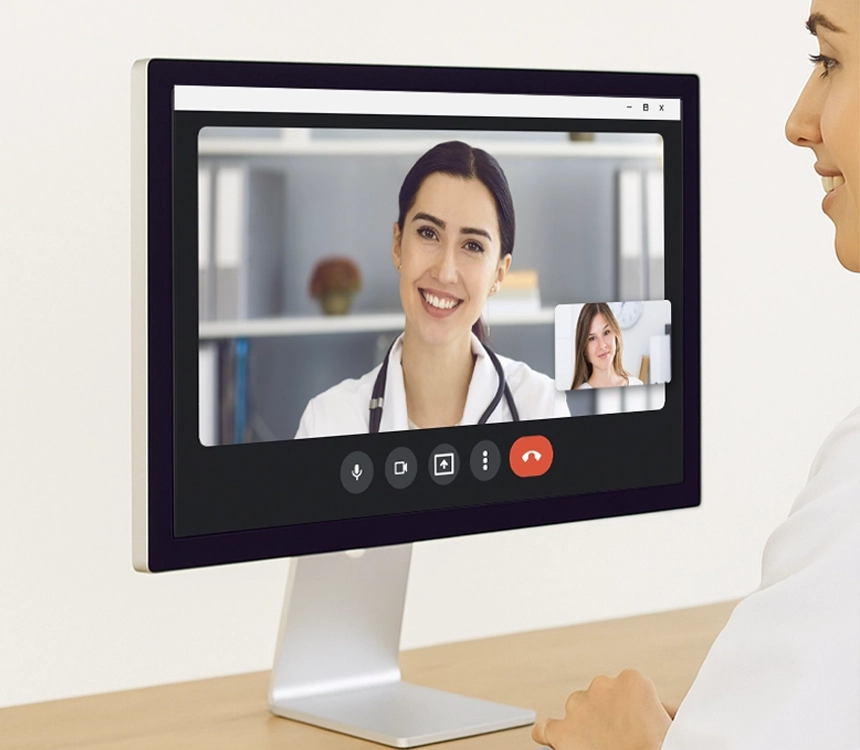
Nexus Telehealth lets you see patients remotely while documenting in the same EHR you use in the office. Secure, HIPAA-compliant video calls, integrated scheduling, and patient-friendly access help you reduce no-shows, extend your reach, and keep continuity of care intact.
Telehealth
Virtual visits seamlessly woven into your everyday clinical workflow.




Key Features
Powered by Google Meet, Nexus Telehealth is designed to easily reach patients across iOS, Android, or desktop. Due to its convenience, this feature also helps providers minimize daily no-shows and last-minute cancellations.

Paywall Protected Access
If you wish to accept payments before virtual visit begins, Nexus Telehealth platform can enable paywall before patients join virtual visit.

HIPAA Compliant
Our healthcare platform is HIPAA compliant. Built with a secure cloud-based infrastructure as our core product to give the best results.

Patient Reminders
Automated appointment reminders to patients before visits to provide easy access to telehealth meeting.

Reimbursement Eligibility
Use the telehealth with EHR platform to create an encounter that is eligible for reimbursement.

Easy access using mobile devices
Underlying virtual meeting technology allows easy access of virtual visits from cell phones or tablets.

Consult with your patients remotely.
Easy documentation interface with video calling

- Patient care was never this easy
- Access Nexus EHR and Telehealth simultaneously
- See your patient while documenting chart notes
Comprehensive Document Management

- Patients are not required to travel to the clinic anymore
- Patient can start e-visit from the link in the text or email
- Patient portal gives them more control
- Patients can request telehealth visit from patient portal
Easy setup and integration.
Start integrating telemedicine consultations into your practice with ease.
01
Set it up independently, or with our support team
02
Log in to your profile via single-login access
03
Integrate the telehealth functionality with Nexus EHR
04
Start conducting telemedicine consultations
Improving patients' access to care.
Easy Documentation Interface with Video Calling
- Patient care was never this easy
- Access Nexus EHR and Telehealth simultaneously
- See your patient while documenting chart notes
Enhanced Patient Experience
- Patients are not required to travel to the clinic anymore
- Patient can start e-visit from the link in the text or email
- Patient portal gives them more control
- Patients can request telehealth visit from patient portal
Salient Features of Nexus Telehealth
Virtual visits simplified
- Seamless Integration with EHR
- No changes in scheduling workflows
- Patients can connect through portal or link sent via reminders
- Patient Appointment Reminders with virtual visit link
- Paywall Option to collect payment
- View patient online status on dashboard
- Authenticated access for patients
- Picture in Picture option allows uninterrupted EHR workflow
Frequently Asked Questions
How does Nexus telehealth work with the EHR?
Nexus Telehealth is integrated with EHR and Practice Management so you don’t have to toggle between screens. When a virtual visit starts, the physician can see the patient video on screen while simultaneously documenting in the chart. The scheduling, check-in, and billing workflows for telehealth visits are the same as in-person visits, so your team doesn’t need to learn a separate process to book a virtual visit appointment.
What technology powers Nexus telehealth video visits?
Our Telehealth solution is powered by Google Meet, which means it works reliably across iOS, Android, and desktop. Patients can join their virtual visit from a link shared via the appointment reminder or by logging into their patient portal. Before joining the visit, patients are authenticated to make sure only authorized users access the visit.
Can we collect payment before virtual visit begins?
Yes. Nexus telehealth includes a Paywall option that allows practices to require payment before the virtual visit starts. This is particularly useful for self-pay patients or situations where a co-pay is expected upfront. The practice can see the patient’s online status on the dashboard and confirm payment before launching the session.
How can I setup telehealth with my EHR account?
Getting started with our Telehealth module is straightforward. Our team will create a telehealth account and add it to your EHR account setup. We can also create visit types in your appointment setting that will be treated as virtual visits. Your scheduling team can now start booking appointments using these visit types for telehealth appointments and it will automatically create a virtual visit link for patient. As a healthcare provider, all you need, is to login to your telehealth account first time you join the eVisit and ask browser to remember credentials for next visits.
Featured Articles

Why Patients Should be given a choice between Telehealth Vs In-Person Visits
Written by Kiran Agate, VP
Read more 
Remote Rendezvous: Telehealth Features for Enhanced Patient Reach
Written by Pooja Tripathi, CEO
Read more 
